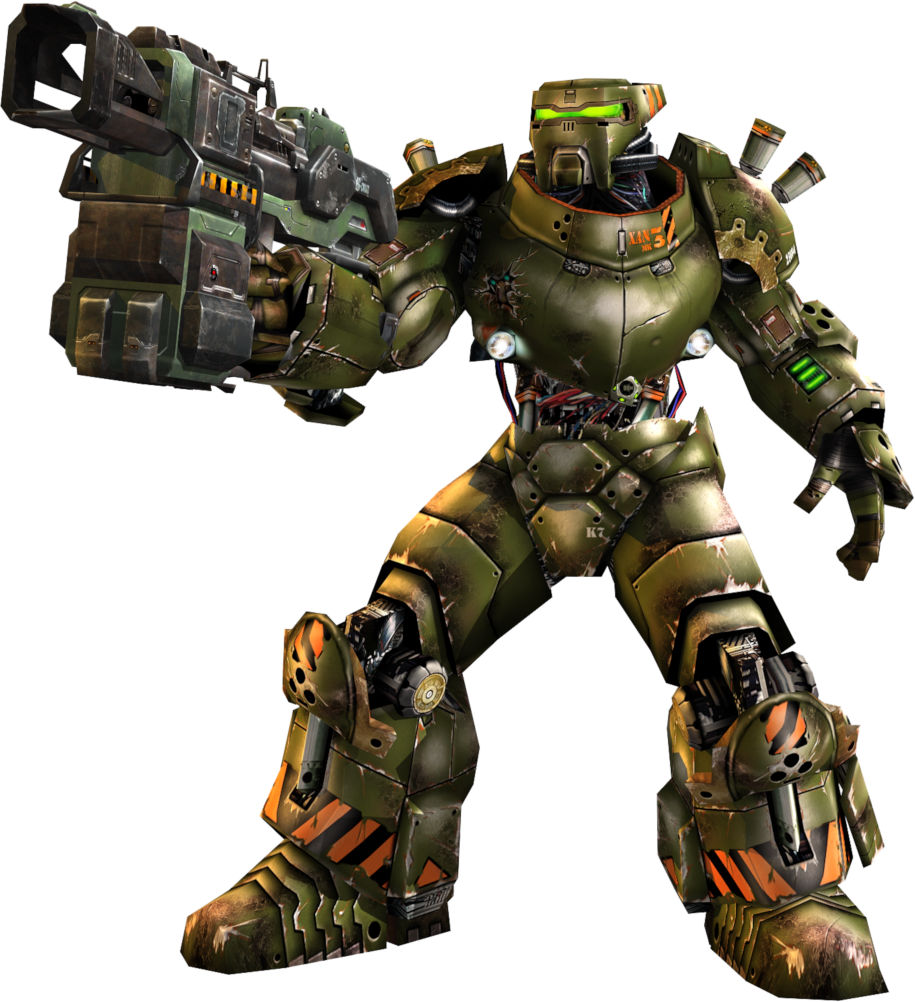
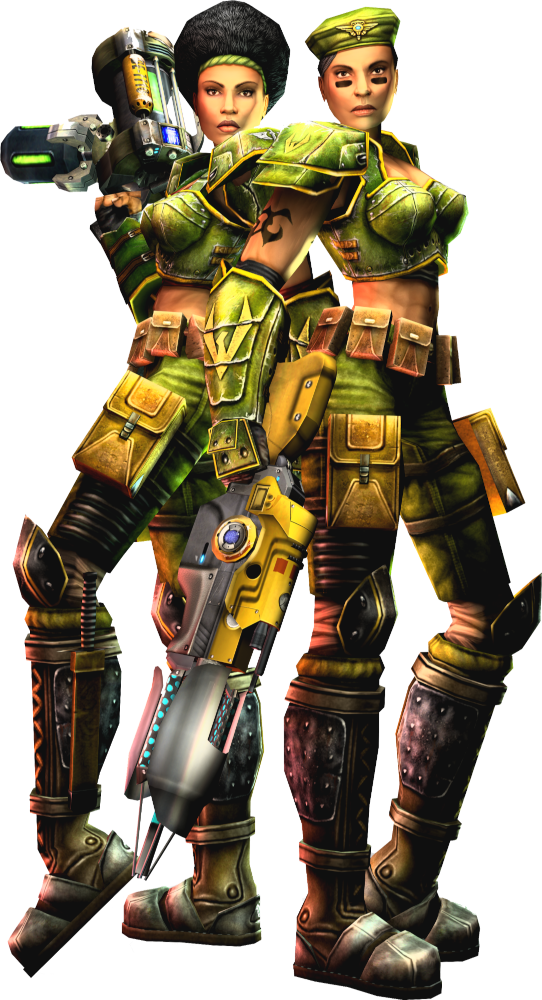
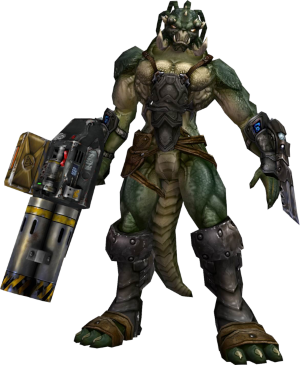
With Epic's blessing and with the help of some new team members, the OldUnreal team is bringing Unreal Tournament 2004 (UT2004) back. This means that we are going to publish an installer that downloads the original disc image for UT2004, installs the game, and applies patches to it. We are also going to start publishing patches that modernize the game, make it compatible with Windows Vista or later, Linux x86-64 and aarch64 (Raspberry Pi and similar), and Mac OS 10.9 or later, fix bugs, and implement quality-of-life changes.
Yes, you read that right. **UT2004 is now available to download once again. Free of charge.**
This is a community-run effort but we’re excited to make the game easier to access and play again.
We have been working on this for quite some time now and have made enough progress to be in a position to make available a first public preview of UT2004 patch 3374.
N.B. For Windows install you should not install to "My Programs". It won't launch from there.
N.B. For the ARM install preview 9 you should copy Default.ini and DefUser.ini from System/ to SystemARM64/ before the first run.
Trouble-shooting
The Linux patch ships with its own libSDL3, and if you already have this installed or you want to use a newer version you can delete the included one and use/install a system provided libSDL3 and/or libopenal instead.
As we're using OpenAl for audio, you can use this software to adjust sound settings.
If you get a black screen you're probaby running the wrong executable. It should be UT2004 on Linux and UT2004.exe on Windows
If you get a crash with message Log: Splash screen filename is '..\Help\ut2004-win64Logo.bmp' Localization: No localization: ut2004-win64.General.Start, you're running the wrong executable. See the line above.
If you're on Windows and DX9 doesn't work, then you're probably missing libraries. Install from here.
If you're on ARM64 and using version 33374 patch 9, there's a couple of old files that slipped into the package. You may crash at startup with the message "Failed to enter Entry: Can't find file 'Entry'". To fix this delete ~/.ut2004/System/User.ini and UT2004.ini, then copy Default.ini and DefUser.ini from the install System directory to the install SystemARM64 directory and start the game.
If you can't see asset browser windows on Unrealed, try renaming System\UnrealEd.ini and starting Unrealed to get default settings.
If you are on Linux and can't run, and get messages along the lines of Critical: IpDrv C++/UnrealScript class size mismatch or x Failed to find object 'Class GUI2K4.UT2K4MainMenuWS' in your ~/.ut2004/UT2004.log you have old .u files in a System directory the execuable is trying to use. They may have different case to the ones in the patch and are there in addition to the ones from the patch. Delete the .u files and re-extract from the patch.
If you get a message along the lines of Must have stats enabled to join this server, from the main menu go to Settings->Game, click the "Track Stats" checkbox, and put any username and password you like into the "UserName" and "Password" fields. It doesn't matter what you put in there, but it's mandatory to have them populated by some servers for their own team balancing.
If you can't start the game on Windows and get a message like Can't find 'ini:Engine.Engine.GameEngine' in configuration fileCan't find 'ini:Engine.Engine.GameEngine' in configuration file then you've probably installed the game into 'Program Files'. It needs to be installed somewhere else.
Highlights so far include:
We now natively support modern Linux and macOS systems with 64-bit Intel and ARM/Apple CPUs
You can now play the game or run a server on a Raspberry Pi 4 or 5, albeit at a lower frame rate than on a PC!
The Linux and macOS distributions of the patch now include a fully functional UCC with an UnrealScript compiler (UCC make) and texture compression support
The Linux and macOS distributions now use SDL3 instead of SDL1
D3D9Drv and fullscreen support are fully functional in the Windows 64-bit client
We dealt our first (minor) blow to the editor goblin! We fixed several crash bugs, restored some broken functionality, and, most importantly, the editor will no longer freeze for several seconds when you click a viewport
Stability Improvements:
Unreal Editor
We fixed a bug that crashed Unreal Editor when converting meshes to brushes
We fixed a bug that crashed Unreal Editor when you opened a map while the 3D viewport was in realtime mode
We fixed a bug that could crash Unreal Editor when selecting something in a 3D viewport that uses D3D9Drv
Networking and Netcode
We fixed a networking bug that allowed players to perform illegal combo moves and to crash servers
Audio and 3D Rendering
We fixed a bug that could crash the game when rendering skeletal meshes with invalid hierarchies
UnrealScript
The game should no longer crash if you click a tab in an in-game menu whose content is still being rendered
Miscellaneous
We fixed a bug that made the game crash when reading an Unreal package with an unexpected GUID
We fixed a garbage collection bug that made the game crash upon shutdown
We fixed a bug that made the game randomly crash when it tried to write to the log file during shutdown
Bug Fixes
Unreal Editor and UCC
The procedural sound context menus should now be fully functional
The display checkbox for placeables actors in the actor browser should now work as expected
We fixed a bug that made Unreal Editor create dummy packages when converting static meshes to or from brushes
Unreal Editor now saves viewport sizes correctly even when viewports are minimized
Large .int files are now saved correctly without truncation (#12)
The UnrealScript compiler now parses and compiles scripts in the correct order after it processes dependson directives
The editor no longer moves left and down when clicking on a viewport, when used on a multi-monitor setup
Viewport selection no longer takes a century, instead acting instantly
We fixed bugs that made Unreal Editor incorrectly import and export DDS files
We fixed a bug that made the Unreal Editor tooltips disappear on some systems
We fixed a bug that made materials used by static meshes not appear in the texture browser's "in use" tab
The static mesh to brush converter now works as expected when converting a mesh with a negative draw scale
We fixed a bug that made Unreal Editor freeze when closing a modal dialog using the X button
We fixed a bug that crashed the editor when opening a non-existing file
We fixed a bug that made coronas block mouse selection in editor viewports
Networking and Netcode
The game now reports the correct progress percentage when downloading files from a game server
The game client will no longer call PostNetBeginPlay twice for certain actors
Audio and 3D Rendering
We fixed a bug that made ambient sounds restart whenever the player camera switches to a different view target
Music fadeouts should now work as expected
Physics
We fixed a bug that triggered a "moved without proper hashing" warning when a player disconnected while possessing a live pawn
Webadmin
We fixed a bug that made the webadmin fail intermittently on some platforms
UnrealScript
We fixed a plethora of accessed nones and UnrealScript-based exploits, crash bugs, and denial-of-service attacks (Thank you Wormbo and Shambler!)
We fixed a bug that could make the SPMA camera explosion loop without stopping (#24)
The PlayerController.AskForPawn function now jumps to the Spectating.Begin state correctly (#10)
The PlayerController.ToggleScreenShotMode function no longer discards user preferences such as the weapon handedness, crosshair visibility, HUD visibility, and the TeamBeaconMaxDist and bHideVehicleNoEntryIndicator settings (#11)
The DeathMatch.InitTeamSymbols function can no longer give multiple teams the same symbol (#16)
We fixed a bug where gibbed players or monsters can be gibbed multiple times by sources of constant damage
We fixed several bugs that made Engine.Canvas incorrectly process newline characters and color codes
We fixed a bug that made the Linux and macOS clients crash when loading font textures with remapped fonts
We fixed a bug that could make the game crash after calling LinkMesh on a new skeletal mesh that uses dynamic hitboxes
We fixed a bug that could make the game crash when you called TerrainInfo.PokeTerrain
Mortar shells should now work correctly on low-grav maps
We fixed a bug that could unexpectedly prevent you from exiting raptor vehicles
Miscellaneous
We now support command lines longer than 1024 characters
Enhancements
Unreal Editor
The Unreal Editor window no longer minimizes when testing a map
The properties window now supports mouse wheel scrolling
You can now expand and collapse items in the properties window using keyboard arrows
The music browser now supports ogg files
You can now import ASE and OBJ models as static meshes
We overhauled the texture compression code and switched to a new texture compression support library (AMD Compressonator). The new code works on all platforms so you can now import compressed textures using UCC make
You can now launch UCC from different folders on Linux and macOS
The mesh browser now has a package combo box and a button to open the mesh properties window
Unreal Editor now embeds the full name of exported textures in the names of the exported files
The sound and material browsers now have a menu option allowing you to export all in-use sounds/materials
The map export dialog now uses the correct map name as the default name of the exported file
You can now use the CTRL+Space hotkey to align the camera to the selected actor
Viewports now refresh when you jump to an actor using the search actor dialog
The editor can now import and export convex volumes
Networking and Netcode
Download messages now include information about the number of packages to download and the percentage of total download completed
The game client now downloads and collates game server information from multiple master servers
Game servers can now connect to multiple community master servers
You can now configure the UCC server query port number for admins. See here for an example of how this can be used on a Windows based UCC server
Demos recorded in offline games will now work with mods that add packages to the package map using Actor.AddToPackageMap
Audio and 3D Rendering
Full screen support is now available in the 64-bit Windows client
You can now cap your frame rate for menus and for offline games using the MaxMenuFrameRate and MaxOfflineFrameRate settings (see Default.ini)
The main menu now renders more appropriately to your screen resolution. (Thank you Risel for help with the images)
The player model now renders in mirror reflections
Vertex models now render in OverlayMaterial
You can now crossfade between two music tracks using MusicEvents
Text-to-speech is now available in the 64-bit Windows client
OpenGLDrv now supports gamma correction even when the game runs in windowed mode
Input and Windowing
The log and terminal windows can now be minimized and maximized
The Unreal Editor log window position now persists through restarts
You can now set the WinDrv.WindowsClient.DirectEnhancedPointerPrecision option to true to enable enhanced pointer precision when using DirectInput-based mouse input
UnrealScript
The game now plays a "drowning" sound rather than "hit underwater" sound when the player is under water and starts losing health (#18)
We added a new console command, stat fpos, that configures the placement of the stat fps output relative to the top-right corner of the screen. See Default.ini: FPSPosX and FPSPosY
We added a new console command is_pi, which returns 1 when running on a Raspberry Pi
We have added more default screen resolutions to the Display menu
We added a new native function, Actor.KRagdollExists, to check if a named ragdoll exists for the actor
Dying players now play their death animation if they do not have a ragdoll
We improved several of the error messages the game logs when encountering errors in UnrealScript code
You can now set the MaxWarnPerFunc option in the [Core.System] section of the ini file to limit how many errors individual UnrealScript functions can log before the game silences them
You can now add asset files (ogg/ka) to the package map using the Actor.AddToPackageMap function
Several HUD and menu elements are now widescreen-aware and will scale correctly at 21:9, 16:9, and 16:10 resolutions
The in-game console's command history now persists across game launches
You can now configure the inactivity time and the effect spawned by weapon lockers
Engine.Actor.GetHumanReadableName() now returns the plain class name rather than the instance name (which sometimes contains a number)
Several Engine.PlayerController functions can now be called from static contexts
Webadmin
The webadmin map list page now shows a sequence number for the maps in the map cycle
Miscellaneous
The game will no longer truncate log files when it crashes
We added a KarmaPath setting to the [Core.System] section of the ini file
The game now reads and writes human-readable text color codes from and to the ini file
The Linux binaries now perform a case-insensitive file search when they cannot open required localization files
The game will now save screenshots in PNG format
Testing Preview 1
A small group of testers was invited to try preview 1.
Testing Preview 2
Changes since preview 1 include:
Fixed several issues in the macOS client that were caused by outdated .u files in the app bundle
Added a test installer for macOS (delete your ~/Library/Application Support/UT2004 folder before testing, then double-click UT2004-Installer-macOS.command)
Added UnrealScript call stack tracking + made the game show the call stack when it logs an accessed none error
Made UDebugger work on 64 bit again
Reorganized tick rate limits and frame rate limits
Fixed a collision issue in SVehicleWheel (OldUnreal/UT2004Patches#37)
Made frame rate limits configurable in the in-game menu
Made failed voice channel checks non-fatal
Fixed crashes while closing the game
Fixed app relaunching
Fixed empty process name in the macOS activity monitor
Removed dependency on DirectXTex.dll
Lowered the macOS system requirement to 10.15
Testing Preview 3
Changes since preview 2 include:
We fixed an issue that made the macOS and Linux clients hang while reporting a crash (#6)
We fixed an issue that made shadows, decals, and projected textures flicker with OpenGLDrv (#4)
We backported UT 469's log window, which should give us some nice performance improvements
We tweaked the wide-screen scaling for menu images
We fixed several problems in how UCC dealt with GModPath
We fixed an issue that made certain meshes pitch black with OpenGLDrv
We fixed an issue that made Intel GPUs render only the bottom layer of certain materials
We fixed an issue that corrupted deco layers with OpenGLDrv
We fixed an issue that made the server browser not update information/pings when the netspeed is above 20000 (OldUnreal/UT2004Patches#72)
We fixed an issue that made loading .upl packages from mod paths fail (#13)
We fixed another selection issue in UnrealEd (#1)
We removed some unused music browser buttons and menu options (#17)
We made the Linux/macOS clients report the actually supported resolutions in the in-game menu
We fixed an issue that made music volume changes reset the currently playing song (OldUnreal/UT2004Patches#102)
We backported UT 469's enhanced file channel implementations. This implementation massively speeds up direct downloads from the game server (OldUnreal/UT2004Patches#106)
We fixed a problem that made the game receive mouse and joystick input even while its window is not in focus
We made the map voter load the map list much more quickly (OldUnreal/UT2004Patches#89)
We increased the default cache size
We added an "All" game type to the server browser
We fixed a problem that made the game window pop up automatically after alttabbing out of it on Linux and macOS
GetPropertyText should now, once again, work as expected
We fixed a bug that made the game window lose mouse focus after alttabbing out and back in on Windows
We fixed a bug that made UnrealEd crash when importing certain skeletal meshes (OldUnreal/UT2004Patches#115)
We fixed a bug that broke the LAN tab in the server browser (#16)
We backported UT 469's FMemCache implementation. This should also give us some nice performance improvements
You can now search classes in the actor browser
Double clicking a package name in the actor browser now opens all of that package's classes in the code editor
Testing Preview 4
Changes since preview 3 include:
Rendering & Graphics
Linux/macOS fixes:
Fixed window resizing issues when switching between windowed and fullscreen modes
Renderers are no longer deleted when switching display modes (modern renderers support both modes)
Deferred window size changes until fullscreen transitions complete to prevent glitches
Fixed black screen bugs on AMD+Linux+wayland
Fixed hardware cursor becoming visible after mode switching
Switched to software rendering for the splash screen
Fixed mouse cursor sticking to screen edges in fullscreen mode
Forced 32-bit color depth and 24-bit z-buffer depth in OpenGLDrv
Added new aspect ratio scaled image style (ISTY_AspectRatioScaled) with alignment options for widescreen support (https://github.com/OldUnreal/UT2004-testing/issues/27)
Added widescreen main menu images for aspect ratios between 1.7 and ultra-widescreen
Master Server & Networking
Major rework of multi-master server support
Improved reliability when connecting to multiple master servers
Better failover handling when servers are unavailable
Master server index tracking improvements
Added Fully Qualified Domain Name (FQDN) support for server favorites
Fixed server favorites being overwritten with stale data on exit (https://github.com/OldUnreal/UT2004-testing/issues/28)
Memory & Performance
Fixed multiple memory leaks:
Fixed leak of ONSShockTankMuzzleFlash emitter
Fixed leak of SVehicleWheel inside SVehicle
Fixed memory errors in the networking and onslaught code (https://github.com/OldUnreal/UT2004-testing/issues/26)
Optimized memory allocation when moving actors (reduced constant reallocation)
Speed up INI file saving
Don't iterate over non-existent zones during pathfinding
Editor Improvements
Editor responsiveness improvements:
Editor now remains responsive during long operations with progress bar
Progress dialog only updates when necessary to reduce CPU usage
Added audio beep notification for long operations (configurable via UnrealEd.ini - Options.NotifyActionEndAfterSeconds)
Terrain Editor fixes:
Fixed crashes when TerrainMap is null (https://github.com/OldUnreal/UT2004Patches/issues/120)
Fixed crash when terrain has zero scale (https://github.com/OldUnreal/UT2004Patches/issues/139)
Fixed wrong UI sizes in terrain editor
Fixed lighting build problems when level model lacks rendering data (https://github.com/OldUnreal/UT2004-testing/issues/53)
Path building improvements:
Optimized reachspecs generation
Added build time logging for reachspecs
Reduced issues log flooding when path nodes are too closev
Stopped flooding logs during reachspecs generation
Fixed sorting skeletal mesh faces on import
Reduced unnecessary autogenerated names in header export
Platform Support
Linux improvements:
Fixed game exit when browser is not found upon opening a URL (https://github.com/OldUnreal/UT2004Patches/issues/132)
GOG version support:
Automatic GOG CD key detection and replacement (https://github.com/stijn-volckaert/ut2004new/pull/58)
Works on both Windows and Linux
User Interface
Added colored output to console window
Improved log output for UCC Make
Command history now prevents storing duplicate consecutive commands
Fixed log file sharing when opening log window
"Join Game" menu now remembers the last selected tab (https://github.com/OldUnreal/UT2004Patches/issues/126)
Bug Fixes
Fixed pawn class selection issue where Jakob model was used by default due to incorrect timestamp check (https://github.com/OldUnreal/UT2004-testing/issues/23)
Testing Preview 5
Preview 5
We are currently working on an updated OpenGL renderer, but it is not yet in a state where we can release it for testing.
In the meantime, we've fixed a bunch of bugs and made some improvements:
Enhancements
Unreal Editor
We implemented several optimizations that should speed up undo/redo operations (#63)
We made UCC and Unreal Editor output additional information when they warn about invalid materials in skeletal meshes
UnrealScript
The SkaarjPack.Invasion.ReduceDamage function now calls the super function to handle damage reduction for victims that do not belong to the same species as the damage instigators
The bonus pack 2 maps are now in the lists of alternative ladder maps (OldUnreal/UT2004Patches#136)
Rendering and GUI
We restored the original game menu and reimplemented the widescreen-friendly version of the menu in a new menu subclass. This should fix the mod incompatibility problems reported in the first previews (#25).
Players who wish to use the widescreen-friendly menu should change the MainMenuClass setting in the [Engine.GameEngine] section of UT2004.ini to
MainMenuClass=GUI2K4.UT2K4MainMenuWS
The onslaught ladder should now appear in the single player menu (OldUnreal/UT2004Patches#136)
The tutorial maps in the single player campaign now have a thumbnail
We moved PNG screenshot encoding to a background thread. Consequently, taking screenshots should no longer (briefly) freeze the game (#75)
Bug Fixes
Unreal Editor
We fixed a bug that made the editor crash when deleting a shader texture and selecting another shader afterwards (#74)
We fixed a bug that made the 'None' group list show all sounds from other groups (#62)
We fixed a bug that made surface properties update slowly when unselecting a surface (#64)
UnrealScript
We fixed a bug that could make the game crash when calling Engine.Controller.PickTarget while the pawn, level, or game is invalid
The game should now display item pickup messages when playing with the vehicle pickups mutator (OldUnreal/UT2004Patches#154)
We fixed a bug that made UCC make reject certain well-formed statements
Sound & Music
The game now performs a case-insensitive file lookup when it can't find the music file it's supposed to play. This should fix issues with music not playing on Linux systems
We fixed a bug that could make the game crash when an emitted particle collides with an actor
Rendering and GUI
We fixed a bug that could crash the game when rendering particles emitted by invalid skeletal mesh actors
We fixed a bug that made the player model in the player selection menu appear upside down (OldUnreal/UT2004Patches#146)
The domination tutorial should now work as expected
We fixed a typo in the particle emitter velocity scaling code that made particle emitters ignore Z-scaling
We fixed a bug that made it possible to receive bloodrites challenges for non-existent team members (OldUnreal/UT2004Patches#136 (comment))
Miscellaneous
We fixed a bug that made UCC generate invalid command-line messages while shutting down
We fixed a bug that made the Linux version of UCC spam the screen with (identical) log messages (#66)
Testing Preview 6
Changes since preview 5 include:
AntiDrv
This preview includes a brand new OpenGL Core/ES 3.x renderer called AntiDrv. AntiDrv started out as an exact replacement for OpenGLDrv, but it now has several features, enhancements, and fixes the original renderer does not have:
All of the heavy lifting happens in JIT-compiled GLSL shaders. We compile/specialize shaders based on material properties. This allows us to build very efficient and (mostly) straight-line shaders. The first time you fire up AntiDrv, you might see some frame drops while it populates the shader cache. Once compiled and cached, the game should run smoothly. The shader cache is saved to/loaded from disk so its contents persist through game runs. The shader cache can be disabled by setting UseShaderCache to false under [AntiDrv.AntiRenderDevice]. Shader caching does not (and cannot) work on macOS!
Reimplemented MSAA support. You can enable it by setting UseMultisampling to True under [AntiDrv.AntiRenderDevice]
OpenGL debug support (using the KHR_debug). You can enable it by setting UseOpenGLDebug to True under [AntiDrv.AntiRenderDevice]
Gradient projectors are fixed (e.g., headlights on ONS vehicles) (#94)
Player/vehicle shadows render on terrain and static meshes
All Combiner color and alpha ops work on all platforms, even the ones that were previously AMD/nvidia exclusives
Weightmap rendering for terrain (previously only implemented in d3d9drv)
Various optimizations. This renderer should beat the original OpenGLDrv on most platforms
Other changes
We made the tooltips display in Unreal Editor smarter. It should no longer show you the same tooltip twice until you've cycled through all available tooltips (OldUnreal/UT2004Patches#151)
We fixed an issue where the log window got stuck and stopped logging
We fixed some issues that could crash OpenGLDrv
We fixed an accessed none error in ONSDualACGatlingGunPawn.ProjectilePostRender2D
The texture browser scroll bar should now move as expected when you scroll using the mouse wheel
We added master.frag-net.com as a default masterserver
We fixed some name sanitization bugs in some of the editor browser importers (#54)
Editor viewports should now redraw automatically when you've made a change in one of the browsers (#56)
The scrolling text display on DM-Morpheus3 should now render text with the correct alignment
We fixed an out-of-bounds read in UT2K4Tab_OnslaughtMap.PreDrawMap
We fixed a bug that could crash the Linux client/server in UClassProperty::NetSerializeItem (OldUnreal/UT2004Patches#173)
We found that changing the GUI screens in place directly impacted mods that use them. We've reverted back the changes and moved all the changes to a subclass of them instead. To get the widescreen-compatible main menu you'll need to update your UT2004.ini to point to the new class from [Engine.GameEngine] MainMenuClass=GUI2K4.UT2K4MainMenu to [Engine.GameEngine] MainMenuClass=GUI2K4.UT2K4MainMenuWS
Testing Preview 7
AntiDrv
This small update fixes problems with AntiDrv:
The game window should now appear in the correct position when going fullscreen on Windows
We also fixed a resource leak in the AntiDrv shader cache
We fixed a crash on AS-Convoy and DM-Morpheus3
The resolution dropdown menu should now appear on Windows
Other changes
Fix attempted use of a server-side function when AdjustAim() is used by mutators and mods such as UTComp client-side.
Testing Preview 8
Some more fixes for AntiDrv:
Fixed a lighting bug that made some materials (e.g., CTF flags and team banners) pitch black and other materials (e.g., the water on DM-BP2-Calandras) overly bright
Increased the maximum number of layers we can render in a single pass
Other fixes:
Fixed a null dereference crash in McdModelGetUserData() (#99)
Fixed a crash when undocking the static mesh browser
Testing Preview 9
Some more fixes for AntiDrv:
Another build, another batch of AntiDrv fixes!
Fixed crash on ASC-SGC_(v1) caused by incorrect ResourceCached return value
Mitigated issues with textures that miss their primary mip (this fixes rendering of torches on ONS-Frostbite for both OpenGLDrv and AntiDrv)
Moved fog factor calculation to the vertex shader and fixed emulation of GL/D3D9 linear fog. This fixes issues on DM-Hyperblast2 and DM-TokaraForest
Fixed a merge error in static projector vertex attenuation handling. This fixes the missing team logos on DOM-Renascent
Testing Preview 10
Changes since preview 9 include:
Adjusted AntiDrv lighting code to better match D3D9Drv
Fixed a bug that made the progress bars blink during slow editor operations
Removed the MaxClientRate cap that would be enforced when the server had more than 16 players (OldUnreal/UT2004Patches#264)
The Linux patch should now replace outdated binaries such as ucc-bin-amd64 with symlinks to the updated binaries
Fixed a bug that could make AntiDrv render player models incorrectly on UTComp servers
Fixed several bugs that broke game relaunching on Linux and macOS
Fixed a bug that broke mod support on Linux systems
When you alt+tab out of the game and back in on a Windows system running one of the OpenGL renderers in fullscreen mode, the game window should now restore the game window to fullscreen mode
When you alt+tab out of the game, the game window will now get minimized instead of rendering over all other windows
Q&A
Some questions might have popped into your head as you read this news. Let us try to answer some of them.
Q: Will the OldUnreal patches be compatible with the latest official version of the game?
A: Yes, for the most part. Unpatched clients can play on patched servers and patched clients can play on unpatched servers.
Most mods should also continue to work as before. The only exceptions are mods that perform game version checks and exclude players with unknown game versions.
Unfortunately, AntiTCC is one of those mods.
Q: As a server admin, how do I ensure that players with the new version can continue to play on my servers?
A: We're aware of a network compatibility problem caused by an unofficial patch.
This problem results in players with the new version not being able to connect to (some) old servers.
You can mitigate this problem by (re)installing the official 3369.3 version of the offending files on your server.
Similarly, players that have installed this unofficial patch might need to reinstall the official 3369.3 files to play on updated servers.
In the meantime, we're looking into an alternative solution that does not require reinstalling the 3369.3 patch.
Q: Will AntiTCC be updated to support the new patches?
A: Yes. Wormbo gave us permission to update AntiTCC. This is still a work in progress, though.
Q: Can I apply the OldUnreal patch to the retail version of the game?
A: On Windows: absolutely. Do keep in mind, however, that we do not support 32-bit CPUs.
On other platforms, your mileage may vary. Patching existing Linux/Mac OS X/macOS installations of the game is possible, but it could require a fair amount of manual effort.
We recommend installing the game from scratch following the instructions we provide in our README.
Q: What are your plans for the near future?
A: We are going to address the rough edges and unfinished features in the new version, and try our best to publish a preview installer and patch ASAP.
In the meantime, we will also work on some quality-of-life improvements and on the long list of editor fixes we want to port over from our other projects.
Q: What is the timeline?
A: We are currently inviting server admins and modders to join our internal tester group. We're aiming to release a public test version within the next two months.
Q: How can I contribute?
A: We will be needing testers in the near future. Keep an eye on our Discord server to see when.
Q: Are you getting paid for this project?
A: No. We're doing this for free because we're fans of the game and we like a challenge. In fact, projects like these cost us a bit of money for server hosting, software licenses and subscriptions, certificates, etc, as we independently operate the games ourselves.
Q: Who is responsible for this project?
A: The main developers of the Windows installer and the patches are Buggie, Marco/Dots, Deaod, Metallicafan213, Piglet, CacoFFF, AnthraX, and Smirftsch.
The patch also includes contributions from Wormbo, Shambler, and Ryan C. Gordon (icculus).
We would also like to thank Epic for making this possible.